Hello, Bloomcast!
Apr 21, 2026
The small growers that I’ve met over the years have all had one surprising common thread: They still do their annual planning, often covering hundreds of crop varieties across multiple fields and seed companies, with pencil and paper or, at best, an Excel spreadsheet. And I have yet to find a single grower who actually enjoys crop planning. In one farm office in Massachusetts this fall, a farmer presented me with stacks and stacks of handwritten notes on her crops and fields, going back several years.
Basically, crop planning is drudgery, like filing taxes, when it really ought to be the opposite. It has the potential to be a truly creative experience, like painting a picture or writing a poem. After all, the intuition that an experienced farmer has, selecting some crops to go next to others, is an art. You just wouldn’t know it by looking at the Excel spreadsheets.
It’s also a waste of their valuable time and resources: Small growers, the folks that support our communities through local farmers markets and CSA programs, waste a lot of time, make costly mistakes, and leave a lot of potential yield on the table by using tools that aren’t up to task.
Like many chores in our lives, we tend to think of this current approach to crop planning as an immutable fact that we must surrender to. But we don’t have to and we shouldn’t!
I want to support local farms in any way I can, so I’m building Bloomcast, a fun, simple crop planning tool that does most of the boring crop planning for you. It includes a detailed crop library with over 4,000 crop varieties, simple yet powerful mapping tools, and a spreadsheet view that fills in most of your formulas for you. Everything can be customized and even exported to a PDF or Excel file. Oh, and it’s free!
For the time being, it’s in a public beta. This means that features will change between now and the final release. I think now is a great time to release a beta, since we still have months until crop planning for 2027 begins. I want to get as much feedback from real farmers as possible so that I can make Bloomcast as useful as possible. My goal is for Bloomcast to be a no-brainer tool for crop planning by this fall.
Key features
Bloomcast divides crop planning into two parts: The Map and the Plan. The Map contains fields, beds, and rows. The Plan contains the crops that will fill the rows, along with the dates that each crop will be seeded, planted, and harvested.
The Crop Library
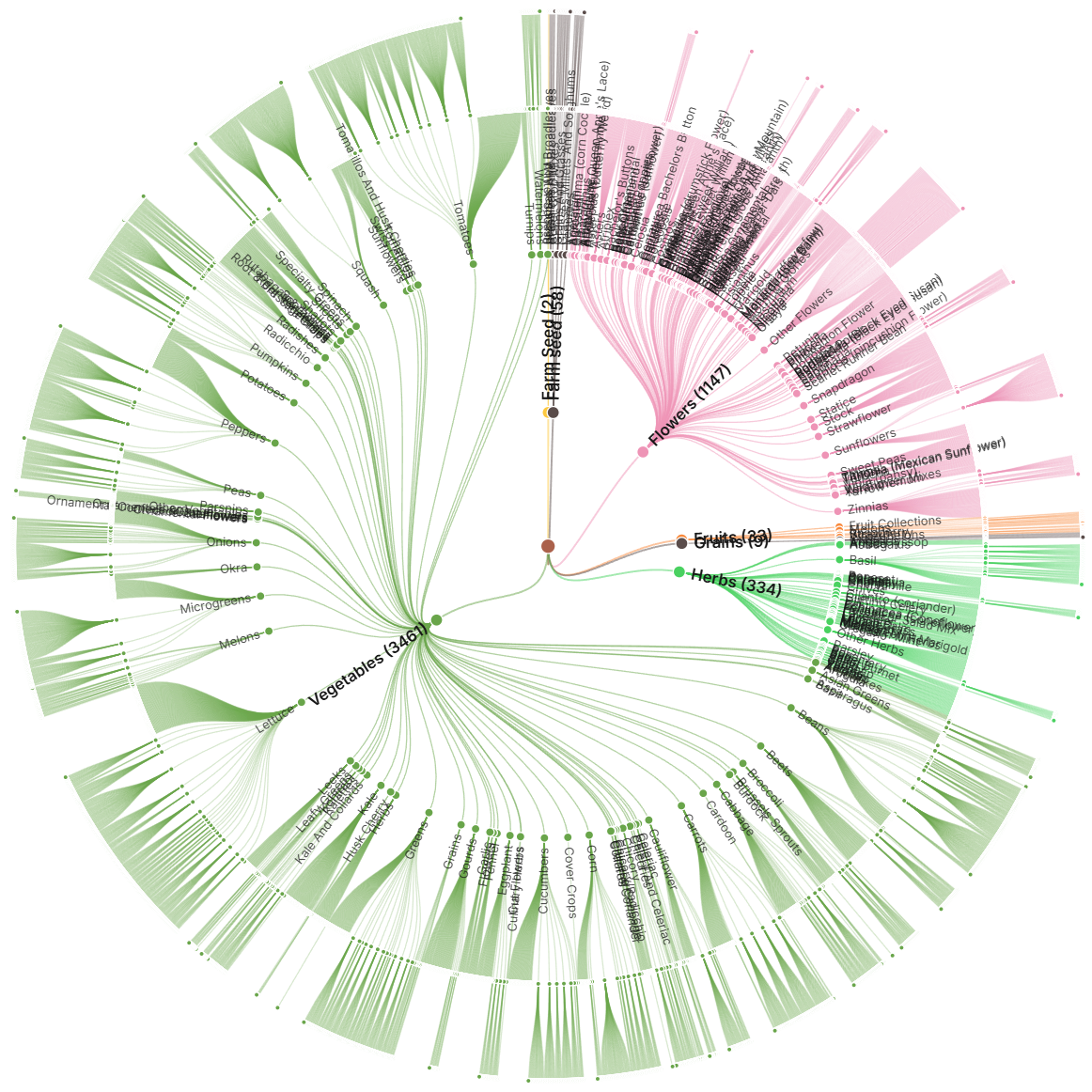
I assembled detailed growing information on over 4,000 crop varieties, including their specific climate needs and other growth parameters. Having this data in Bloomcast is not only a useful reference for the user. It also underpins a powerful (and constantly improving) crop planning model that suggests exactly when each crop should be seeded, how long it will take to grow, how many seeds to order, what companies sell the seeds, and so on.
Map view
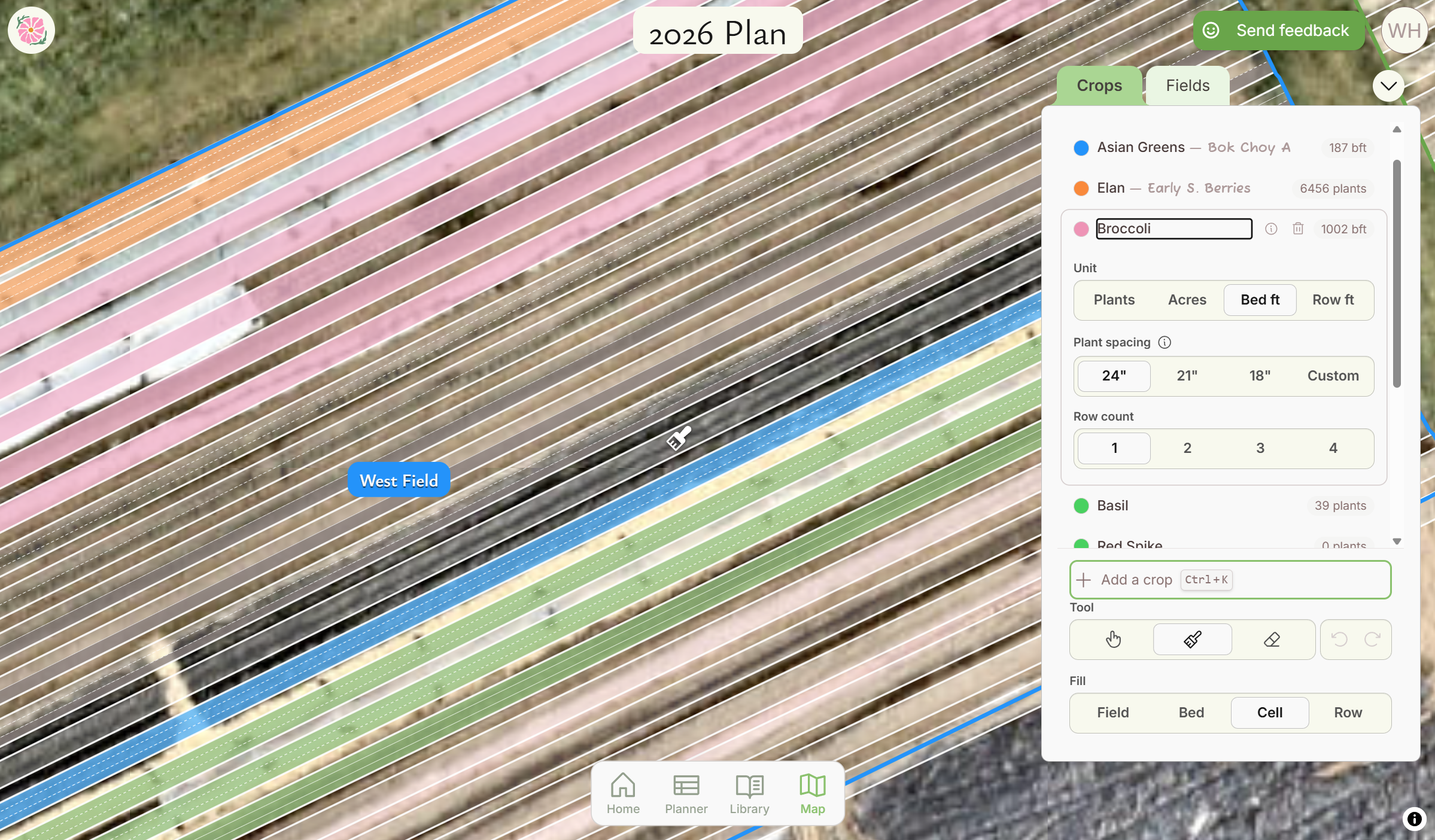
Here growers can easily mark their fields and beds. They can add crops from the library and simply paint them onto the fields. Growers, you know all those calculations you need to do to calculate the bed feet, the row feet, the inches per plant, and so on? Bloomcast does all of that for you, instantly.
Planner view
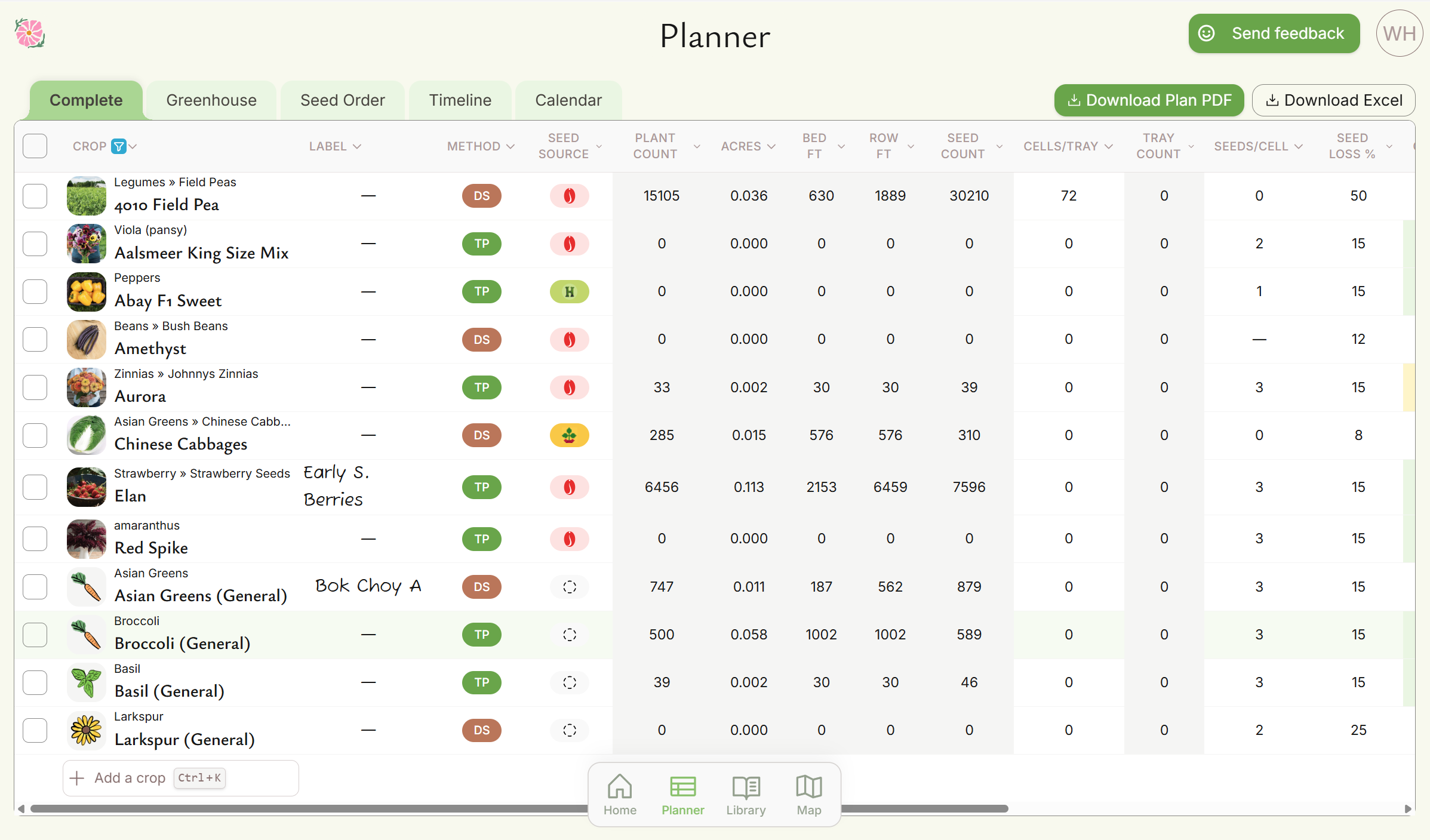
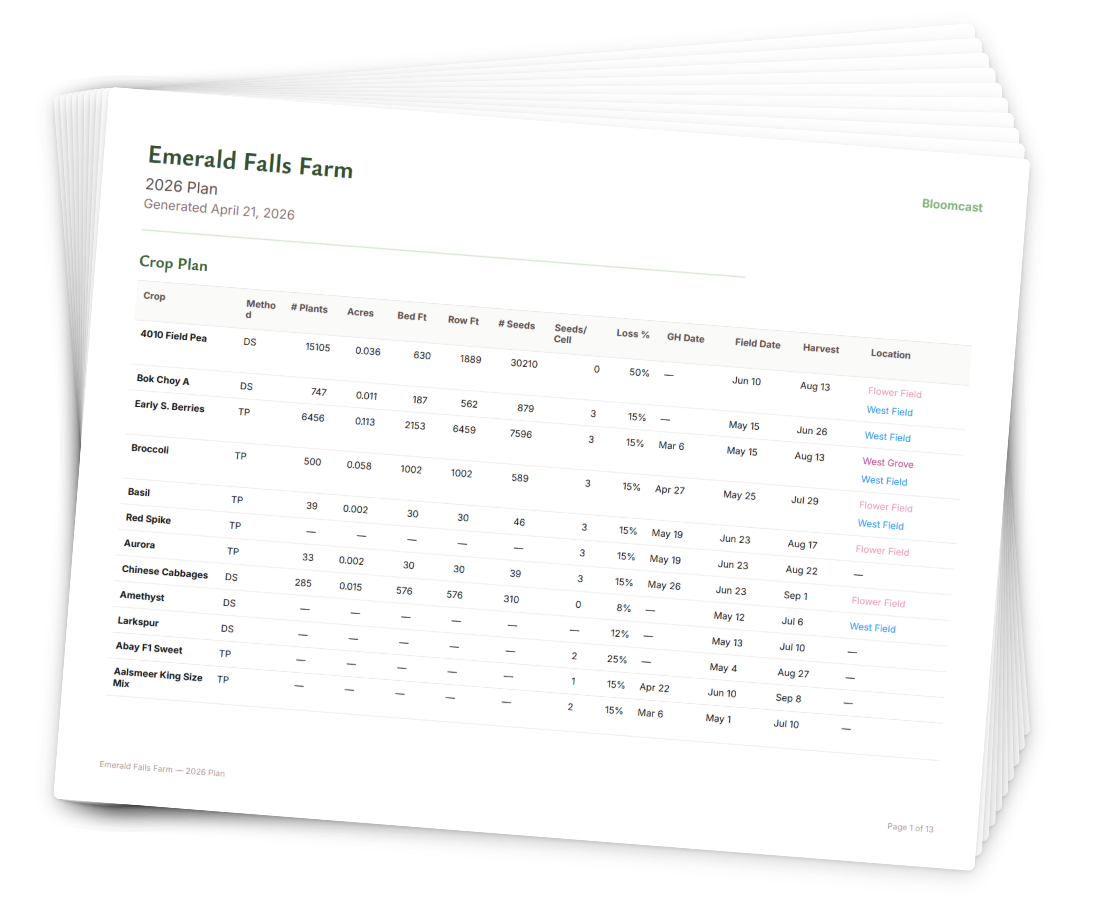
This is where you can view and adjust any specific details in your plan, including the tray sizes you’ll use and the dates. The Planner is actually split into a “Complete” view that shows most details, a Calendar, a Seed Order sheet, and a Greenhouse sheet. You can export your plan to either a PDF or an Excel spreadsheet for easy sharing and saving.
In the future, I’d like to make the views totally customizable.
Library view
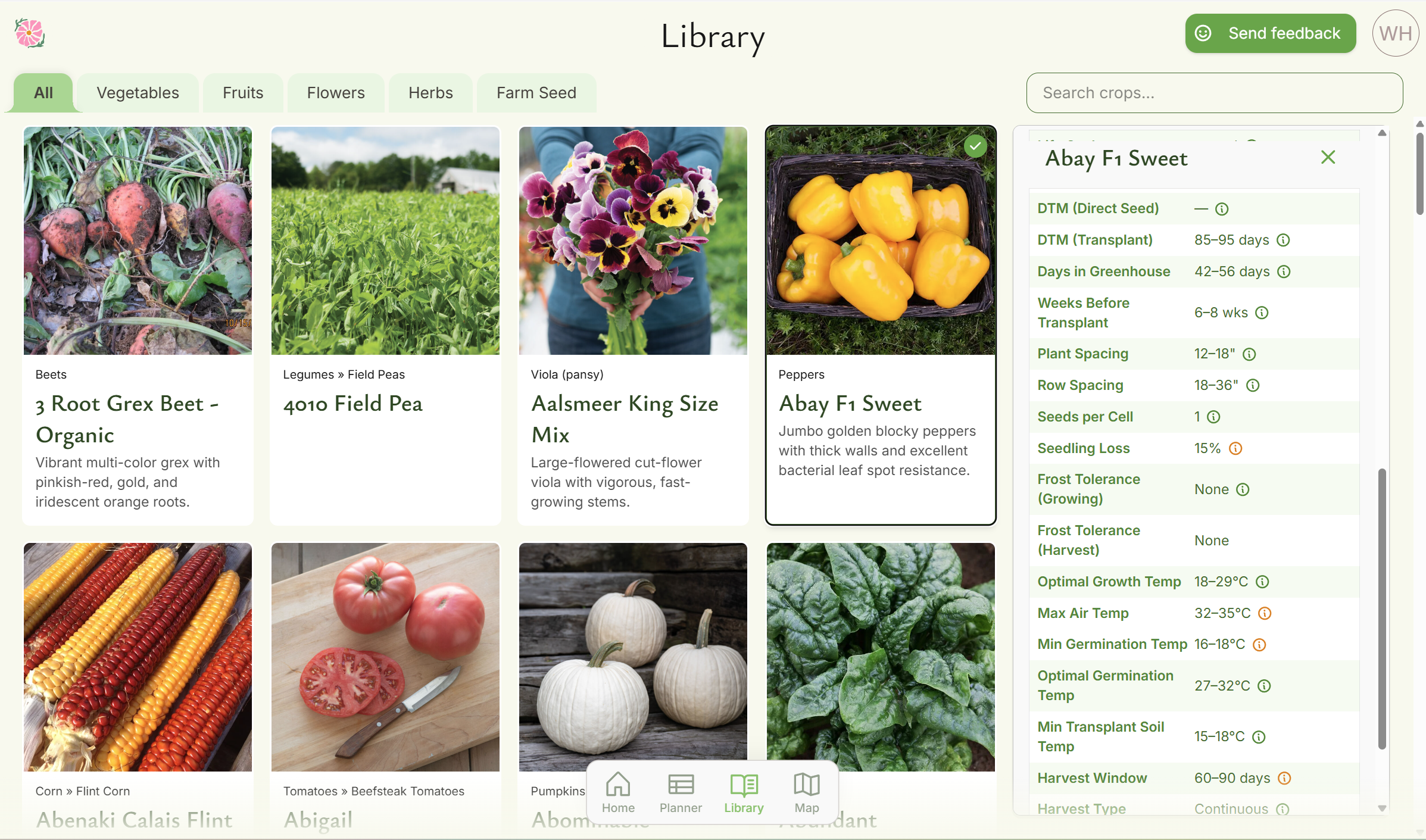
This is where you can browse all varieties to choose from. I’ll be adding even more varieties in the future, including support for users to add custom varieties.
Unified model
All of the above views are just that— views on the same data. That means that when you update where crops are grown on the Map, the quantities are updated in the Planner. When you add a crop from the Library, it appears in the Map. And all of your updates are saved to the cloud automatically.
Reach out!
I’m looking to connect with market gardeners to hear their thoughts on Bloomcast and, more generally, their farm planning needs. If you know anyone, tell them to reach out! I can be reached at will@heit.mn.